

Minecraft is an interesting game that allows you to build your own world. Learn how to do this with a Minecraft Java server.
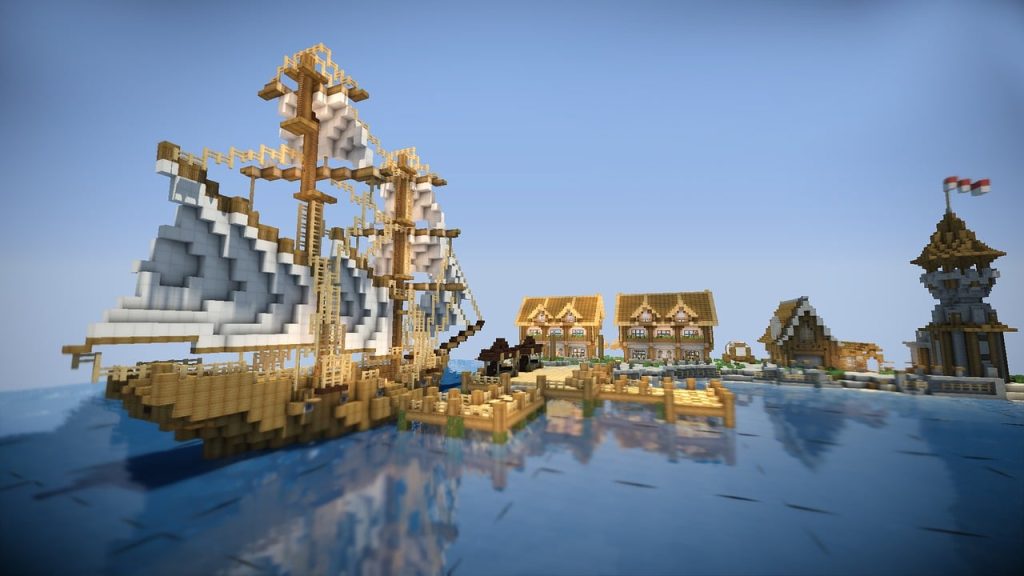
Minecraft is more than a game—it’s where collaboration, creativity, and commerce thrive. With thousands of Java edition server instances going online anytime, players worldwide create and join custom worlds to have endless fun.
Whether you want to play with friends, build a community, or make money out of your server, this guide will help you every step of the way.
Key Takeaways:
- Minecraft allows you to promote and monetize your server as long as you’re compliant with regulations.
- Your computer should be able to accommodate the requirements needed to host a Minecraft Java server.
- Self-hosting your Minecraft server may give you control, but it can only do little. Third-party hosting is a monthly financial commitment, but with all the protected software access you need.
Take a class today without committing to anything.
1. Setting Up Your Minecraft Java Server
The Minecraft Java Server Requirements
Before you set it all up, check the minimum and recommended system requirements. A personal computer may be enough if you’re hosting for a few friends. However, if you have heavy mods or plugins, you need larger servers with more RAM and CPU.
- Minimum: 2 GB RAM, dual-core CPU
- Recommended: 8GB+ RAM, SSD storage, stable internet
Downloading and Installing the Java Edition Server
Go to Minecraft’s official website to download the latest version of the Java edition server. Make sure you installed the Java Runtime Environment.
For Windows users, open a terminal or command line, go to your server folder, and run the .jar file with java -Xmx4G -Xms1G -jar server.jar nogui.
Initial Server Configuration
Edit the server .properties file to set settings, such as max players, game mode, and difficulty. Customise elements like the server IP and port and whether the server runs online or offline.
You can edit the files manually or use commands to configure game rules. You can also enable a whitelist and assign operator permissions.
Testing and Launching Your Server
After configuring the server, start it. If you ever encounter an error, review the command line output and log files. These may be due to missing libraries, outdated Java, or wrong file permissions, especially on Linux.
2. Choosing the Right Hosting Option
Self-Hosting vs. Third-Party Hosting
With self-hosting, you have full control over your server. You don’t have to pay anything if you’re using existing hardware. However, you’re limited by your internet speed. You only get an uptime when your computer is on.
On the other hand, third-party hosting offers high uptime, 24/7 support, and distributed denial of service (DDoS) protection. You need to pay monthly, or else you’ll get limited software access.
Top Minecraft Server Hosting Providers
Compare these options if you want a hosting provider:
- Apex Hosting: It’s user-friendly and offers great mod support.
- Shockbyte: It has global server locations and affordable plans.
- Hostinger: Made for high-performance Java hosting.
Compare each provider based on price, upgrade options, backup support, and available plugins/mods.
3. Configuring Plugins and Mods
Why Plugins and Mods Are Essential
Enhance Gameplay Experience
- Mods keep the game fresh and engaging with new mechanics, tools, mobs, and biomes.
- Plugins add commands, mini-games, or improvements in quality of life for more fun.
Enable Customisation
- You can tailor your Minecraft server to your vision, such as a survival realm or Pixelmon world.
Improve Server Management
- Plugins like LuckPerms, EssentialsX, and WorldGuard streamline permissions and admin tasks to keep the server secure and organised.
Enhance Security
- Anti-griefing and anti-cheat plugins protect your server from malicious exploitation. When regularly updated, plugins and mods can patch vulnerabilities.
Create Unique Community Experiences
- Custom content, features, and events make your Java Minecraft server stand out on server lists, encouraging other players to join today.
Add Monetization Options
- Some plugins can support ranks, in-game stores, and VIP perks. These are all used to monetise Java Edition servers while complying with Minecraft’s End User License Agreement (EULA).
Support Roleplay and Themed Servers
- You can load many worlds that reflect your community’s interests with roleplaying games to sci-fi tech mods.
Keep Players Coming Back
- Regular updates and plugin additions can encourage players to return to the server, this time with their friends.
Top Plugins for Server Management
- EssentialsX: This plugin gives you warps, commands, and homes.
- LuckPerms: This is a role-based permission management.
- GriefPrevention: This helps in land claims and anti-griefing.
- WorldEdit: A fast-building and terraforming plugin for your Minecraft world.
Best Mods for Enhanced Gameplay
- Biomes O’ Plenty: This adds beautiful biomes to your Minecraft space.
- Pixelmon: It’s a Pokémon-inspired gameplay.
Manage mod capability by installing Fabric or Forge.
How to Safely Install and Manage Mods/Plugins
- Back up your Minecraft world all the time.
- Make sure the mods or plugins are compatible with the server and Minecraft client.
- Audit the mods and plugins regularly to spot bugs and security issues.
See what a Minecraft class with us looks like!
4. Optimising the Server for Better Performance
Your server may lag due to too many entities in them or if the plugins are poorly optimised. Memory leaks can also cause these lags. Here are some essential tips for optimising your server.
- Use performance jars, such as Spigot or Paper, to begin optimisation.
- Set aside more RAM through the command line.
- Pre-generate the Minecraft world to lessen real-time chunk loading.
- Limit the tick rate and view distance.
If you want to manage files, remove all unused world files and compress backups weekly. Identify server bottlenecks with monitoring tools like Timings or Spark.
5. Building a Thriving Community
A vibrant server community lets users respond to events and invite friends to return to them, opening doors for collaborations and monetisation.
Marketing Your Minecraft Server
- List your Minecraft server list on sites like PlanetMinecraft or Minecraft-Serves.net.
- Promote your server on YouTube, Discord, or Reddit.
- Set up a page site or forum for future downloads and announcements.
Host tournaments, in-game holidays, or survival challenges on your server. You can reward users with in-game currency or cosmetic items. This could be a fun activity as long as you clearly define rules, appoint moderators to verify reports, and respond to issues quickly.
6. Monetising Your Minecraft Server Legally
The Minecraft EULA permits monetisation under some strict guidelines. First, you should be transparent about your purchases. You also shouldn’t offer pay-to-win advantages in Player versus Player environments. Lastly, you can offer purely cosmetic or convenience items to users.
You can monetise your servers by getting donations or in formats like Patreon. Reward your supporters with special roles or shoutouts to appreciate their contributions. You can also sell cosmetic gear or teleport scrolls in in-game stores.
Another way to monetise the server is to offer a monthly subscription for mods access or regular content drops. Make sure you comply with the regulations to avoid takedowns by the Digital Millennium Copyright Act.
Troubleshooting Common Server Issues
Try these common techniques if you encounter issues with your Minecraft server:
Lag and Performance
- Remove dropped items with /kill @e[type=item].
- Lower the tick distance in server.properties.
- Optimize connection routes with proxy tools or content delivery networks.
Downtime and Crashes
- Go over crash reports and log files.
- Roll back all the corrupted world backups.
- Reinstall the server software’s latest version when needed.
Security Vulnerabilities
- Use firewall tools or IP whitelisting to protect the server.
- Update all mods and plugins.
- Choose hosts with DDoS protection to protect legitimate users from malicious attacks when they access the server.
Why You Should Have a Java Minecraft Server
The Rise of Minecraft Java Servers
Java Minecraft servers carry the multiplayer experience in Minecraft. They let players connect and interact beyond the Minecraft client base. Famous worlds like Pixelmon Realms, mini-game networks, and custom survival lands run on custom servers with their own server IP, mods, and rules.
Why Optimization Is a Must
An unoptimized Minecraft server can crash, lag, or give you a poor game experience. Players don’t want to spend their time waiting around or get a “connection lost” message after an intense build session. Having a smooth, enabled, and properly managed server retains users.
Potential for Community and Monetization
The well-run server can do more than entertainment. It can build a community, offer perks, and create exclusive content where Java edition server owners can monetise their passion projects.
Why Learn Minecraft at Software Academy
Here at Software Academy, we blend learning Minecraft with instruction from experts and hands-on experience. We cover everything, from Minecraft basics to creating personal servers!
If that isn’t enough, here are more reasons why you should choose us for your child’s summer camp:
- Learn to set up and manage a Minecraft Java server from scratch.
- Master using mods and plugins to improve gameplay.
- Gain real-world coding skills and game design experience.
- An avenue for kids to freely express their creativity.
- Fun courses are designed for kids of all skill levels.
Join us today to take your kids’ skills to the next level!
Maximise Your Minecraft Java Server to the Fullest Today!
Building and managing a Minecraft Java server can be rewarding. You can begin the journey by installing the Java Edition server, configuring the software, and deciding whether to self-host or use a third-party provider. Keep things running well by optimising mods and plugins. From here, you can begin monetising your server with content and events after the server has become stable.
Don’t skip any of these steps if you want a successful Minecraft Java server. You can continue earning your keep as long as you follow Minecraft’s EULA and capitalise on your offerings.
Book a Minecraft class now!
