

Minecraft Java Edition offers unmatched mods, multiplayer freedom, and classic gameplay. Find out why it’s the ultimate version for serious PC players.
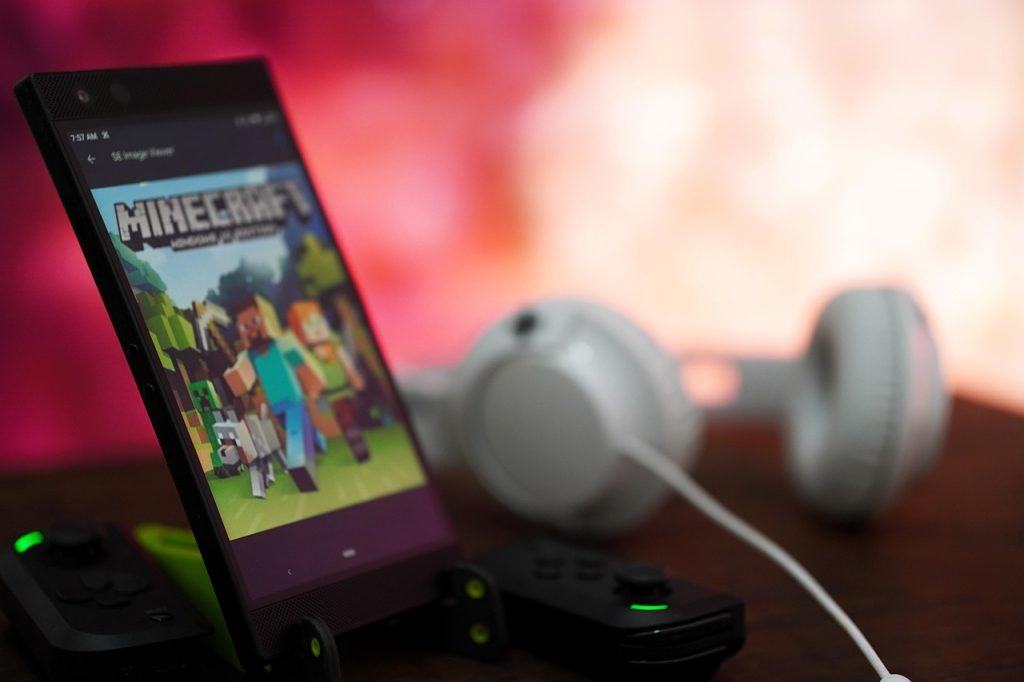
Minecraft isn’t just a game—it’s a global phenomenon. With 300 million copies sold around the world, it captivates players of all ages. But if you’re playing on Windows PC, you’ve likely encountered the question: Should I choose Minecraft Java Edition or Bedrock?
For most serious players, the answer is clear: Minecraft Java Edition remains the best, most flexible version available for desktop gamers.
In this guide, we’ll explore what makes Minecraft Java Edition unique, its standout features, its benefits, and how it supports kids learning to code.
Key Takeaways:
- Minecraft Java Edition provides unmatched modding and customisation for PC.
- Java Edition features an active and imaginative community of modders and developers.
- Kids will surely love Minecraft, but parents want it to be educational.
Without guidance, kids might miss out on Minecraft’s learning potential. Our Minecraft coding for kids turns fun into a structured experience.
What Is Minecraft Java Edition?
Launched in 2009, Minecraft Java Edition is Mojang’s original version. Unlike Minecraft Bedrock Edition, which runs on consoles, mobile devices, Windows, and other platforms, Java Edition is designed exclusively for PC, Mac, and Linux.
Why do dedicated fans prefer Java? It offers freedom, flexibility, and unmatched customisation. Java Edition is home to Minecraft’s vibrant modding community, allowing players to build their own Minecraft mods, redesign mechanics, or even create a whole new Minecraft game from scratch using Java coding and custom features.
Java Edition has also become a playground for experimenting with new game mechanics, offering early access updates called Snapshots that let players test upcoming features before they’re officially released.
Key Features of Minecraft Java Edition
Java Edition sets itself apart with features unavailable in other versions:
1. Unlimited Modding Capabilities
The biggest draw for many players is the rich modding environment that only Java Edition offers. Whether you want to tweak the game’s visuals, overhaul its mechanics, or build an entirely new world, Java lets you do it.
- Use loaders like Forge or Fabric.
- Access modpacks from sites like CurseForge
- Enhance visuals with OptiFine or shaders like Sildur’s and SEUS
No other version of Minecraft comes close to the depth of customisation Java allows. If you’re into game development, this version gives you total freedom.
2. Access to Snapshots and Pre-Releases
Java Edition players get early access to snapshots—pre-release versions of upcoming features and updates. This allows them to test and give feedback long before official content is released to the public.
It’s also a fun way to stay ahead of the curve and be part of the evolving Minecraft story.
3. Robust Multiplayer Options
Minecraft Java supports:
- Self-hosted multiplayer servers
- LAN connections
- Public servers
You’re free to set your own rules, install server-side mods or plugins, and play how you want. There’s no paywall, no subscription—just your world, your way.
4. Deeper Redstone and Combat Mechanics
Java Edition has advanced redstone logic and features the original 1.9+ combat system. This includes attack cooldowns, dual-wielding, and shields, offering greater depth and skill in battles and automation builds.
Bedrock simplifies many of these mechanics, but that often means sacrificing complexity and control.
5. Cross-Platform Java-to-Java Only
While cross-play between Java and Bedrock Edition isn’t natively supported, a package deal now gives players both Minecraft Java Bedrock Edition in one purchase. This unlocks access to both platforms via the Microsoft Store—ideal for homes with multiple devices or players.
Want structured guidance? Check out our coding courses for kids. It’s not just coding lessons—it’s hands-on projects kids can showcase proudly. Our courses are designed to make coding accessible, whether your child is a beginner or ready to tackle complex projects.
Benefits of Playing Minecraft Java Edition
Beyond features, Java offers the appeal to casual players, modders, and competitive gamers alike:
- Thriving creative community constantly sharing mods, maps, and plugins
- Frequent updates driven by player feedback
- Flexible PvP mechanics favoured by competitive players
- Access to fan-made challenges and events through community servers
- Full control over gameplay rules and custom tools
With Java coding Minecraft projects, you’re not just playing but building something new.
As of 2023, Minecraft has over 500,000 players every day. Now, Minecraft boasts a monthly player base exceeding 140 million. Minecraft Java Bedrock Edition comparisons often favour Java for serious builders and modders.
How to Get Started with Minecraft Java Edition

Ready to play? Here’s how to begin:
- Purchase Minecraft Java Edition. Visit Minecraft’s official website and buy Java.
- Download the Minecraft Launcher. Install the launcher from Minecraft.net on your Windows PC, Mac, or Linux. The launcher keeps your game updated automatically.
- Log in with a Microsoft Account. Sign in using your Microsoft account. If you don’t have one, you can create a free account.
- Start a New World. Choose a game mode like Creative, Survival Mode, Hardcore, or name your world, and customise settings. Tweak settings to create your ideal single-player mode or online adventure.
- Explore Multiplayer and Mods. Join online multiplayer servers or install mods to enhance your gameplay.
Want to create your own Minecraft game or learn how to mod with Java? You’ll need a solid code editor and some guidance. That’s where our Minecraft Modding Camps come in.
Minecraft Java Edition System Requirements:
While Minecraft can run on most modern computers, optimal performance is best with the recommended requirements. Note that mods and custom content may require more powerful hardware. Java 21 is required for the game. But it includes its own version, so no manual installation is necessary. Multiplayer gaming requires an internet connection for downloading, authentication, and gameplay.
Minimum Requirements:
- CPU: AMD A8, Intel Core i3, Apple M1 chip, or equivalent.
- RAM: 1-2 GB.
- GPU: Integrated: Intel HD Graphics 4000 or AMD Radeon R5 series; Discrete: GeForce 400 Series (410+) or AMD Radeon HD 7000 series.
- Storage: 1 GB on HDD.
- OS: Windows XP+, macOS Mojave+ (10.14.5), or modern Linux (2014+).
Recommended Requirements:
- CPU: AMD A10, Intel Core i5-4690, Apple M1 chip, or equivalent.
- RAM: 4-8 GB.
- GPU: GeForce 700 Series (740+) or Radeon R7 200.
- Storage: 4 GB on SSD.
- OS: Windows 10/11+, macOS Mojave+ (10.14.5), or modern Linux (2014+).
Why Java Edition Is the Best for PC Players
Simply put, Java Edition delivers the most customisable, complete, and authentic Minecraft experience for PC users.
Here’s why it’s the standout version:
- Unparalleled modding capabilities that let you reshape gameplay
- Total control over the Minecraft server and plugins
- Exclusive access to Snapshots, Hardcore Mode, and a thriving creative community
- Ideal platform for learning coding, creativity, and problem-solving
Whether you’re building castles, coding mods, or battling dragons, Java Edition empowers you to shape Minecraft your way, with total creative freedom and technical flexibility.
Want to Code?
Enrol in our Minecraft coding for kids to learn Java coding Minecraft skills. In this immersive 5-day holiday camp, your child will discover how to design and build custom Minecraft Java mods with hands-on guidance from expert instructors.
Throughout the course, they’ll develop impressive coding and creative skills while crafting their own unique mods to share with family and friends. Students will explore the Minecraft world in depth, learning how to create intricate structures and interactive features.
Beyond technical skills, the program nurtures essential soft skills like creative thinking, problem-solving, and confidence-building. To join, please download and install the Java Edition.
Learn more about our Minecraft coding course. This program teaches kids aged 9–11 how to build custom mods, learn Java programming, and unlock creativity—all with expert support.
Build Better in Java
Minecraft Java Edition isn’t just a version—it’s a platform for creativity, community, and learning. It’s perfect for PC players who want freedom to customise, control their world, and build coding skills.
If you’re a parent looking to turn your child’s Minecraft time into learning time, our coding course for kids offers expert-led coding lessons through Minecraft Java Edition.
Don’t just play—create, learn, and grow with Minecraft Java Edition.
