

Games let kids immerse themselves in worlds where they’re the boss. Learn how the Roblox Studio coding language helps them bring their ideas to reality through programming and game creation.

The Roblox Studio coding language is an accessible and fun avenue for children and beginners to try learning programming. Roblox already has millions of players and creators worldwide. The Roblox platform lets users create games and virtual worlds with Lua.
Supporting your child’s coding journey and Roblox interests can get them ahead in life. This guide details everything about how the Roblox Studio coding language works.
Key Takeaways:
- Roblox Studio enables kids to create games using code.
- The Roblox Studio coding language is based on Lua, a commonly used programming language in the game industry.
- Kids need to understand how each code functions when creating a game instead of copy-pasting it recklessly.
- Saving the work as it happens and testing the game regularly can help kids spot errors and avoid losing progress.
Curious about how a coding class goes? Book a free trial now!
Get Started With Roblox Studio
It’s a powerful game development tool for kids and teens to develop games using drag-and-drop features and written code. Roblox Studio’s beginner-friendly user interface and built-in script editor with syntax highlighting make it easy for kids with no coding experience to create games however they want.
Before getting into Roblox scripting, learn everything about the Roblox Studio interface. Here’s what you need to know:
Key Features
- Explorer Window: This is for viewing the hierarchy of your game objects.
- Properties Window: This window adjusts values like colour, speed, and size of objects.
- Script Tab: The part where you’ll write code and edit it later on.
- Output Windows: This shows errors and prints messages for debugging.
- Play Button: It tests your game with live player interaction.
Installing Roblox Studio
- Go to the Roblox website.
- Create an official Roblox account if you don’t have one. Log in if you do.
- Click the “Start Creating” button to download Roblox Studio.
- Launch the app and build virtual worlds inside the Roblox platform.
The Coding Language Roblox Uses
The Roblox programming language is based on Lua and is called Roblox Lua. The latter is a scripting system consisting of the Lua language and Roblox-specific application programming interfaces, and is usually referred to by people when discussing Roblox Studio coding language.
The Lua programming language, on the other hand, is simple, lightweight, and easy to read, ideal for new coders who are just getting started.
Why Use Lua?
- Widely used: Lua is friendly to beginners who have just started coding since it’s easy to understand. It’s also used in the gaming industry, like Roblox.
- Performs tasks with less code: Coding with Lua allows your child to do complex actions in their programme with fewer lines of code and focus on logic instead of syntax.
- Introduces fundamental programming concepts: Lua teaches variables, loops, events, and functions, all building blocks when your child learns any programming language.
- Share similarities with other programming languages: Lua has the same programming structures found in JavaScript and Python, making transitioning to more advanced coding easier.
Don’t get left behind. Get a free trial with our classes!
Understanding Roblox Lua
You must know the key elements of Roblox Lua before writing a single Lua code:
1. Data Types
Roblox Lua supports these common data types:
- String (text)
- Number
- Boolean (true or false)
- Table (arrays or lists)
- Instance (Roblox objects)
2. Variables
local playerSpeed = 16
Use “local” to define variables that keep information like name, speed, or position.
3. Functions
function greetPlayer()
print(“Welcome to the game!”)
end
Functions are reusable code blocks that can do specific tasks.
4. Events and Game Logic
Events let your game respond to user actions.
The code goes like this:
game.Players.PlayerAdded:Connect(function(player)
print(player.Name .. ” joined the game”)
end)
Writing Your First Script

Follow these steps so your simple block can change colour when clicked:
- Insert an object like a part block.
- In the Explorer tab, right-click the part and choose Insert Object > Script.
- Open the script editor by double-clicking the new Script. Paste this code:
local part = script.Parent
function onClick()
part.BrickColor = BrickColor.Random()
end
part.ClickDetector.MouseClick:Connect(onClick)
- Add a ClickDetector to the part with Insert Object > ClickDetector.
Custom Game Mechanics
You must know how to implement custom game mechanics to learn more about Roblox game development. Take these examples:
- Gravity changes or player movement speeds.
- Save player data, such as inventory or points.
- Creating interactive experiences like quests or mazes.
- Gameplay mechanics, such as time challenges or jumping puzzles.
How Games Are Coded in Roblox
When talking about a Roblox-coded game, it usually means that Roblox Scripting builds the interaction systems and game logic. This includes:
- Game worlds built in Studio tools
- Writing Lua code to label interactions
- Structuring the game with the appropriate data structures
- Using the output window to test and debug the game
Best Practices When Using Roblox Studio
Save often
Roblox Studio may sometimes crash in a snap, especially when kids are working on complex projects. Saving frequently ensures that work progress returns to where it was left off in case of crashes.
Test regularly
Encourage your child to use the play button to test their game while it’s still in development. It helps catch errors early, make adjustments, and make sure the gameplay mechanics work as expected.
Use meaningful variable names
Teach your kids to choose descriptive names for variables to make their Lua code more understandable and easier to read and debug. They’ll work on more complex scripts later on, so easy naming can save them lots of time and move them forward with their work.
Don’t copy code blindly
Encourage your kids to read and understand code instead of copying and pasting it every chance they get. They should know how each line works to strengthen their understanding of the Lua scripting language and apply it in future projects.
Get into our class with no cost now!
Monitoring and Supporting Your Child’s Game Projects in Roblox Studio
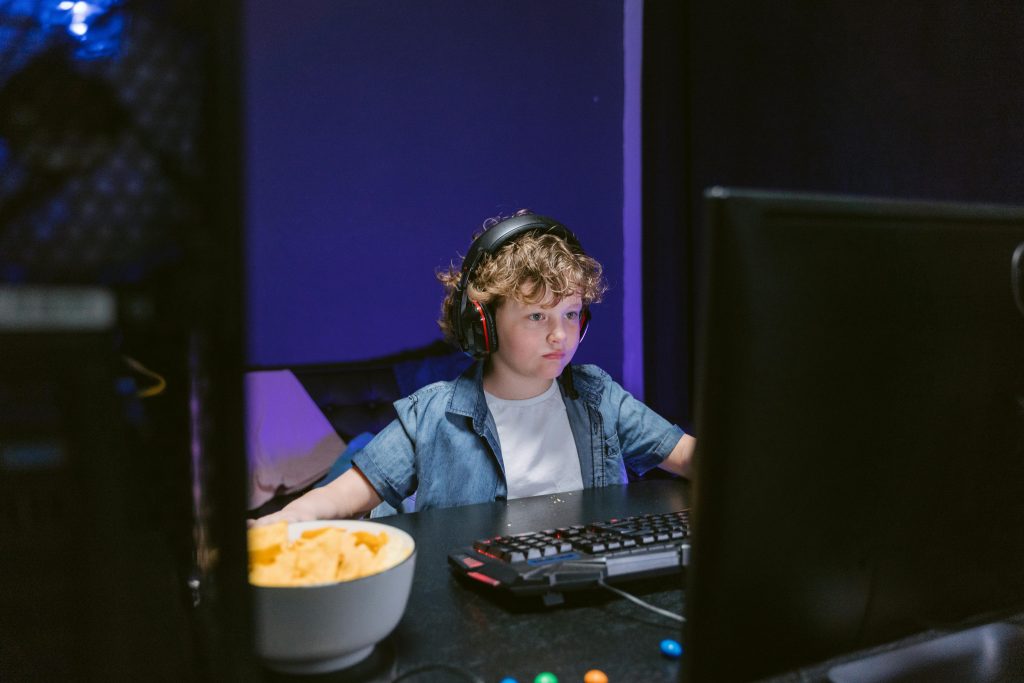
The best thing you can do as a parent is to support your child’s interest in coding through Roblox Studio. It encourages them to develop their creativity, logical thinking, and technical skills.
As your child’s horizons expand with coding, you can still keep an eye on your child’s interest positively and constructively. Here’s how:
1. Familiarise Yourself with Roblox Studio
You can download and explore the Roblox Studio interface on a separate computer in your spare time. Learn where important functions, such as the output window, properties window, and script editor, are located.
Understanding how it works helps you assist your child and follow their progress with their projects.
2. Create a Shared Roblox Account
Consider creating a joint account or adding your child’s account to yours for supervision. This way, you can monitor their activity while respecting their creative and personal space.
3. Review Their Coding Progress Regularly
Set aside an hour or two every week to see what they’re working on. To reinforce their learning and understanding, ask them questions about how they used Roblox Lua or how they coded some functions.
4. Celebrate Their Achievements
Congratulate your kids when they build a new feature or solve issues with their code. Showing their finished Roblox games to their family and friends can make them confident in their capabilities.
5. Use Learning Resources
Watch video tutorials or Roblox’s official documentation with your kids to know how particular features work. Doing this can make your child trust you more since you believe in them.
6. Develop Their Problem-Solving Skills
When errors appear in the output window, let your child figure it out rather than doing all the work for them. This can prompt them to think of and try each solution until something works and the issue gets resolved.
7. Set Screen Time and Online Interaction Boundaries
Make sure your child’s account is tailored to their age and within the right privacy settings. Monitor the users they’ve been interacting with and set the screen time for half an hour to a full hour every day.
8. Let Kids Take It Slow
Support your kid’s regular coding time, but don’t make it an obligation. Allow your child to work however and whenever they want while you’re guiding them. They can work better if they’re free from any pressure to produce anything within their coding time.
How Software Academy Can Help
Roblox Studio is more than just a creative space for kids to learn coding and build games. Getting started can be pretty overwhelming for them, especially without proper guidance.
Software Academy comes in by providing:
- Expert-led lessons: Experienced instructors teach the coding lessons to children. Every concept is divided into simple steps so that your kids can build their Roblox games and learn to write Lua code.
- Beginner-friendly curriculum: Lessons are suited to your child’s level, beginning with the basics of the Roblox Studio interface and moving on to using the script editor and game logic.
- Real game projects: Kids will build their own games and add features like score systems, unlockable tools, and player movement. This helps them apply their learning to actual projects.
- Problem solving: Children will learn to think creatively like developers. They’ll be taught to debug scripts with the output window and experiment with game mechanics to improve their gameplay experience.
- Supportive learning environment: Here at Software Academy, we value and foster a positive space where kids can ask questions, make mistakes, and grow into skilled individuals. We monitor their progress and share it with you so you can stay involved and informed in your child’s development.
All of our courses and classes, such as coding, digital and graphic design, and Roblox game creation, are held online. You can choose the week that suits your family schedule. All classes are held from 9:30 A.M. to 1 P.M.
With the right support, your child can become the creator of the next great Roblox game from being a mere player. Software Academy makes it possible through enjoyable and educational courses, one lesson at a time.
Final Thoughts
Learning everything about the Roblox Studio coding language introduces your child to the world of coding and gain practical tech skills. It’s beginner-friendly, so they can learn to build complete games from the ground up and make experiences interactive for other players.
It all starts with their understanding of the Lua scripting language. Soon enough, they’ll be more confident in their ability to work on larger projects, build their future in tech, and learn programming in a fun way.
